Departments Receiving
What's on the Page?
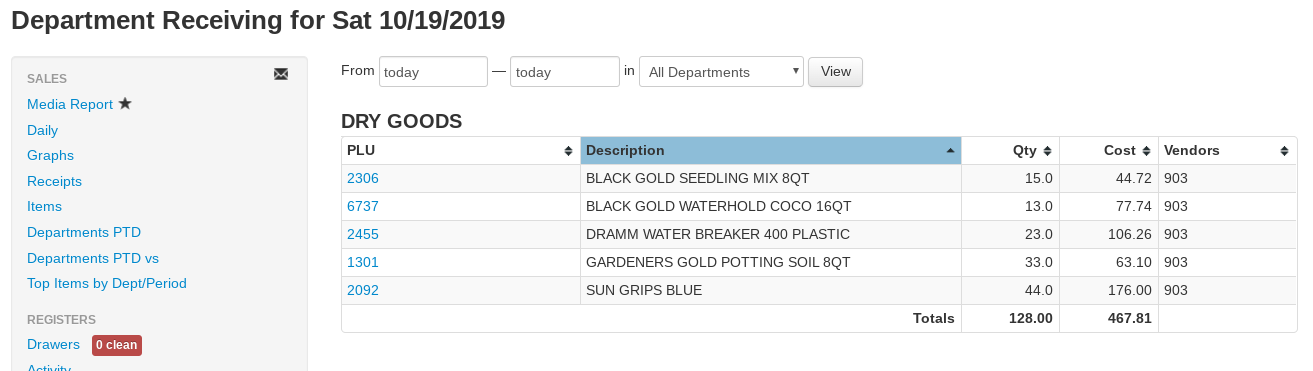
The Departments Receiving report summarizes everything you received into inventory over a date range — by department, sub-department, vendor, or item.
Use the fields at the top of the report to customize it:
- From / to dates — Calendar pop-ups set the receiving date range (both default to today).
- Department drop-down — All Departments, one department, or one department/sub-department.
- group by drop-down — How rows are grouped: Department/Item (the default — one table of items per department), Sub Department/Item, Item, Department, Sub Department, Vendor, or Vendor/Item.
- All stores checkbox — For multi-store companies, include every store's receivings.
- Split by PO checkbox — On item-level groupings, break each item into one row per purchase order, adding PO# and Date columns.
- PO# field — Limit the report to receivings from a single purchase order number.
- Freight drop-down — Controls how freight that was rolled into item costs is displayed: Freight: As received (costs as recorded), Freight: Separate (adds a Freight column beside Cost), Freight: Exclude (costs with the rolled-in freight removed), or Freight: Only (just the freight portion).
- View — Generates the report with your current inputs.
Use the download icon above each table to export it to CSV.
When a freight mode other than Freight: As received is selected and the date range includes receivings with rolled-in freight, a Rolled-in cost components table also appears above the report, breaking the rolled-in freight for the date range down by cost type with each type's amount and percentage of the total.
Reading the Report (summary groupings)
When grouping by Department, Sub Department, or Vendor, each row is one group:
- Department (or Vendor) — The group's name.
- Qty — The total quantity received, negative for unreceived/reversed lines.
- Cost — The total cost of the quantity received.
- Avg Cost — Cost ÷ Qty for the row.
A Totals row sums the table.
Reading the Report (item groupings)
When grouping by Department/Item, Sub Department/Item, or Vendor/Item, each group gets its own table of items; the Item grouping shows one combined table. The item tables have these columns:
- Department — The item's department.
- PLU — The item number, hyperlinked to the item page.
- Description — The item's name.
- Size — The item's size.
- Qty — The quantity received in the date range.
- Cost — The total cost of the quantity received.
- Avg Cost — Cost ÷ Qty for the row.
- PO# / Date — Shown when Split by PO is checked: the purchase order (linked) and its received date.
- Primary Vendor — The item's primary vendor.
- Vendors — Every vendor the item was received from in the range.
- Transfer — Shows Tx when the receiving was a transfer from another of your stores rather than a vendor delivery.
Total quantity received and total cost received are shown below the tables.