Care Guides
View the list of attached care guides on this tab. Either remove the care guide, link to the attachment page, or open the attachment from this list.
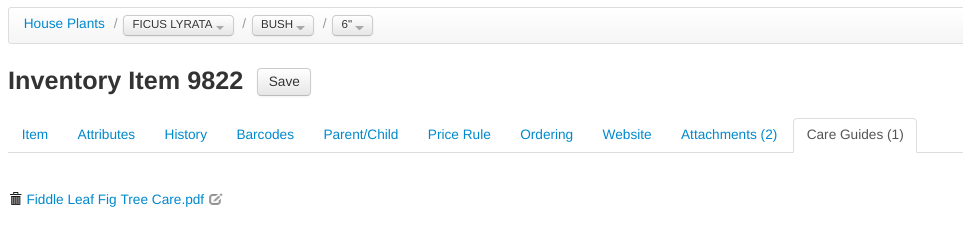
Remove the care guide from this item with the  icon, open it by clicking the file name, and edit it by clicking the
  icon.
icon.
Learn how to add care guides and other types of attachments to the system on the Attachment page:
Tip
When an item that has a care guide attached is sold, the care guide will automatically be sent the the emailed receipt!
Creating care sheets with VMXpert
You can ask VMXpert to make a care sheet for you — for a single item, a whole department or sub-department, a collection, or a described group ("all my Japanese maples"):
- Ask, e.g. "Make a care sheet for our roses." Add any special instructions (layout, wording, your own care notes or photos — attach them to the chat).
- VMXpert drafts a one-page branded PDF — your logo, colors, care instructions for your region, and photos of your items — and shows it to you in the chat for review.
- Tell it what to change until it looks right, then approve. VMXpert attaches the finished sheet as a care guide to the department, sub-department, collection, or items you chose.
From then on the care sheet is offered automatically on emailed receipts whenever a matching item is sold, appears on the item screen and at the register, and is listed on the Care Guides page.